Period-based interpretation.
Insights are designed to help users read the report layer, not only the dataset layer. This is where broader interpretation starts to become useful.
Insights sit above one dataset. They help users read the selected week or month through time in range, glucose trend, time-segment pattern, and report-level summaries that are easier to act on over time.
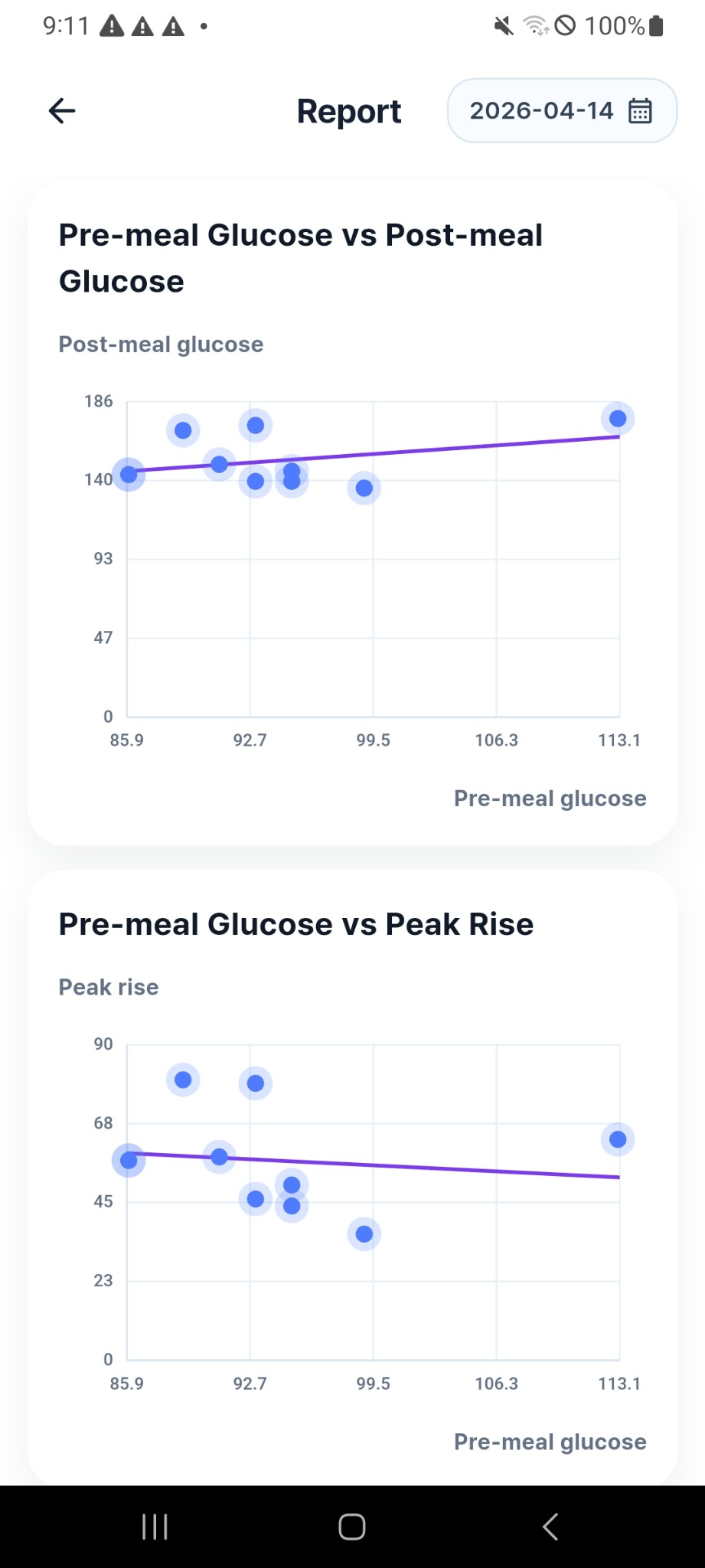
Instead of judging only one event, users can understand how the week or month behaves overall, where the harder time windows are, and whether report-level signals are staying consistent enough to trust.
Time in range shows how stable the selected period feels overall.
Trend cards show whether the direction is improving, flat, or drifting.
Time-segment analysis reveals which parts of the day need more attention.
Insights are designed to help users read the report layer, not only the dataset layer. This is where broader interpretation starts to become useful.
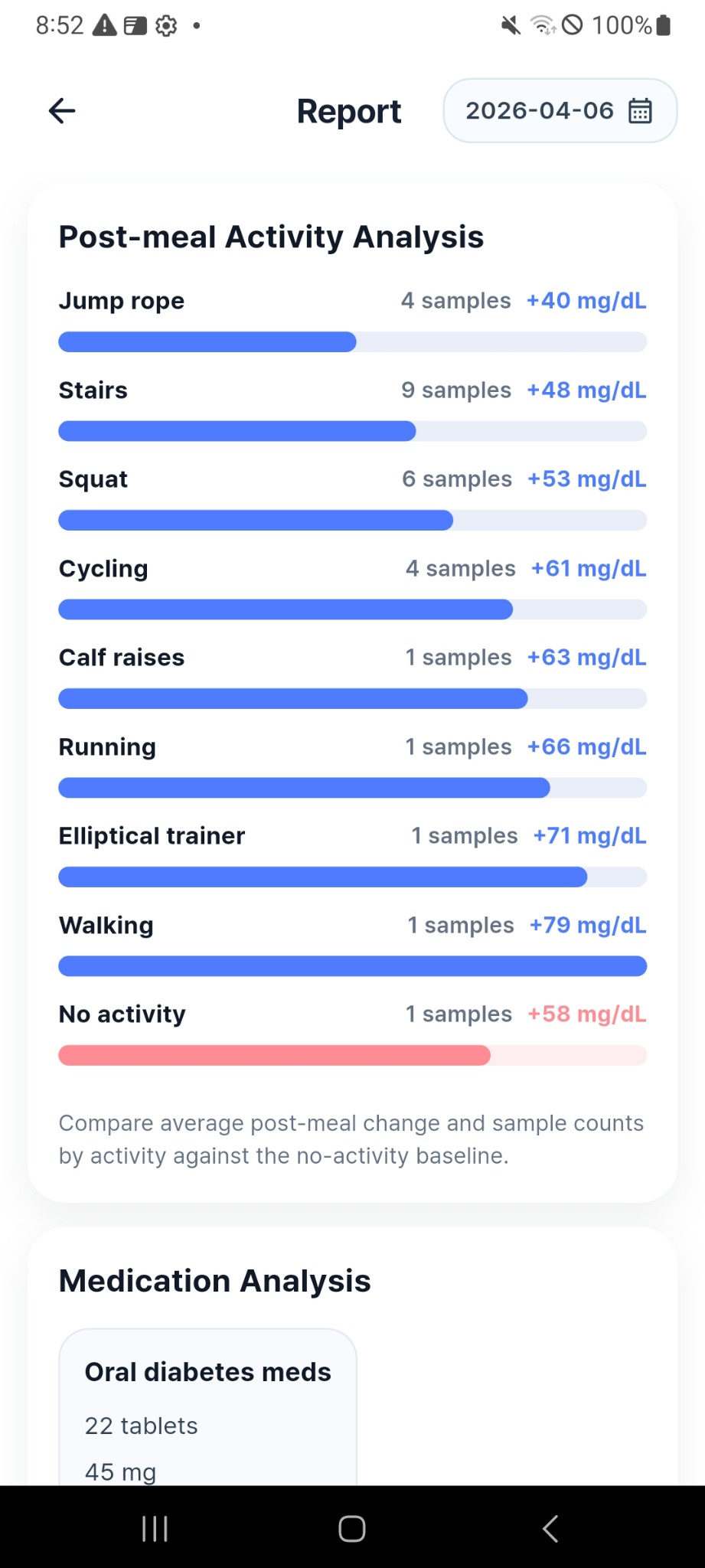
When a pattern appears across the selected period, users can decide whether to keep the same routine, check a weaker time window, or reinforce an activity habit.
Post-meal activity analysis helps users compare sample counts and average post-meal change by activity against the no-activity baseline, making the report easier to interpret than a simple list.
Insights help users move from “something felt different” to “the selected period shows a clearer direction.”
Users can more easily decide whether to repeat the same routine, change the timing, or review a weaker part of the day more closely.